
For live shows, stages, rooms and cars
See what your sound system is doing. Then fix it.
Align measures your system in the browser and shows what to change, with nothing to download. The RTA and the SPL meter are free, with no account.
It suggests. You decide.
The RTA and the SPL meter need no account. Every other tool comes with Pro: see the prices.
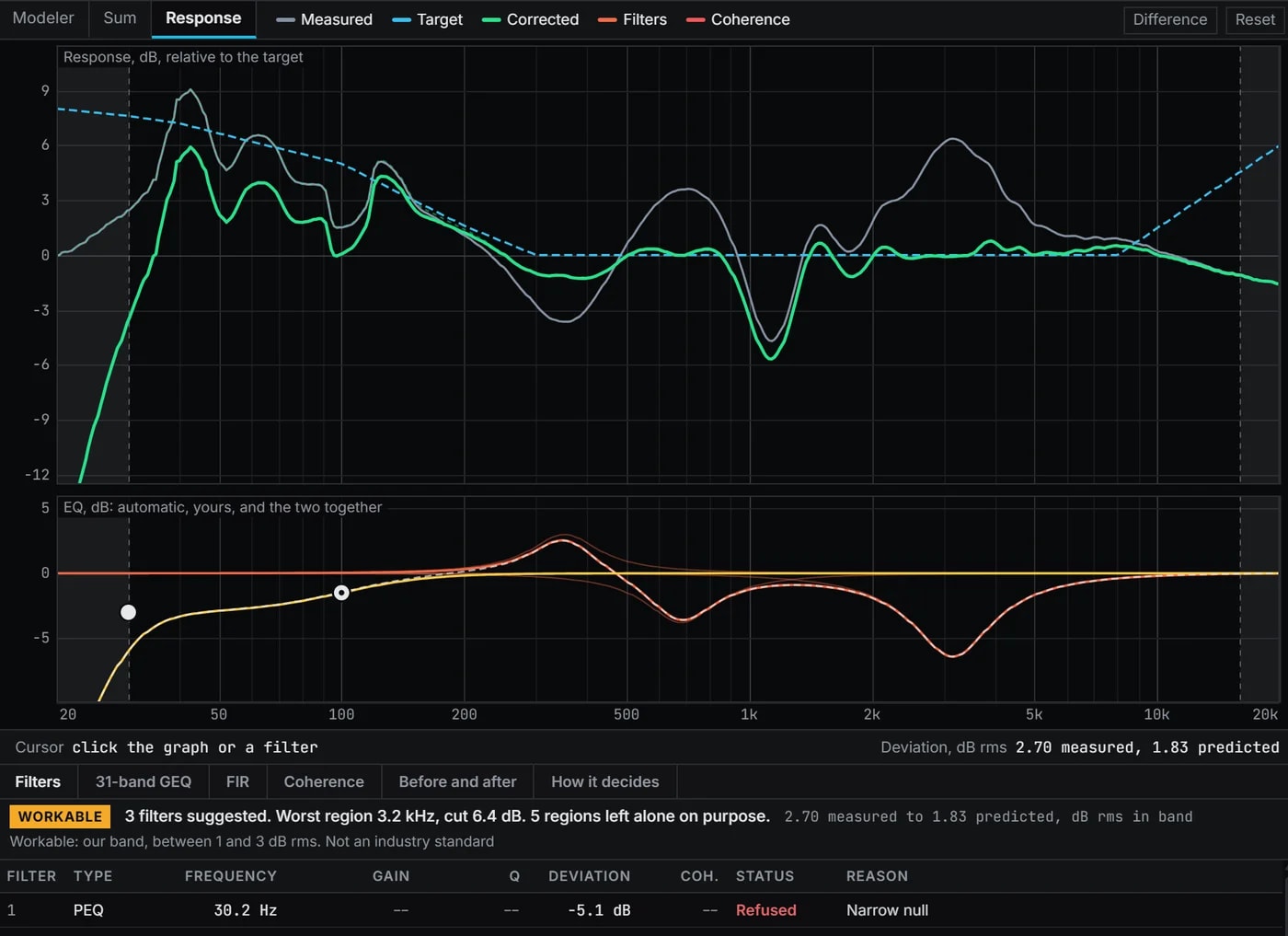
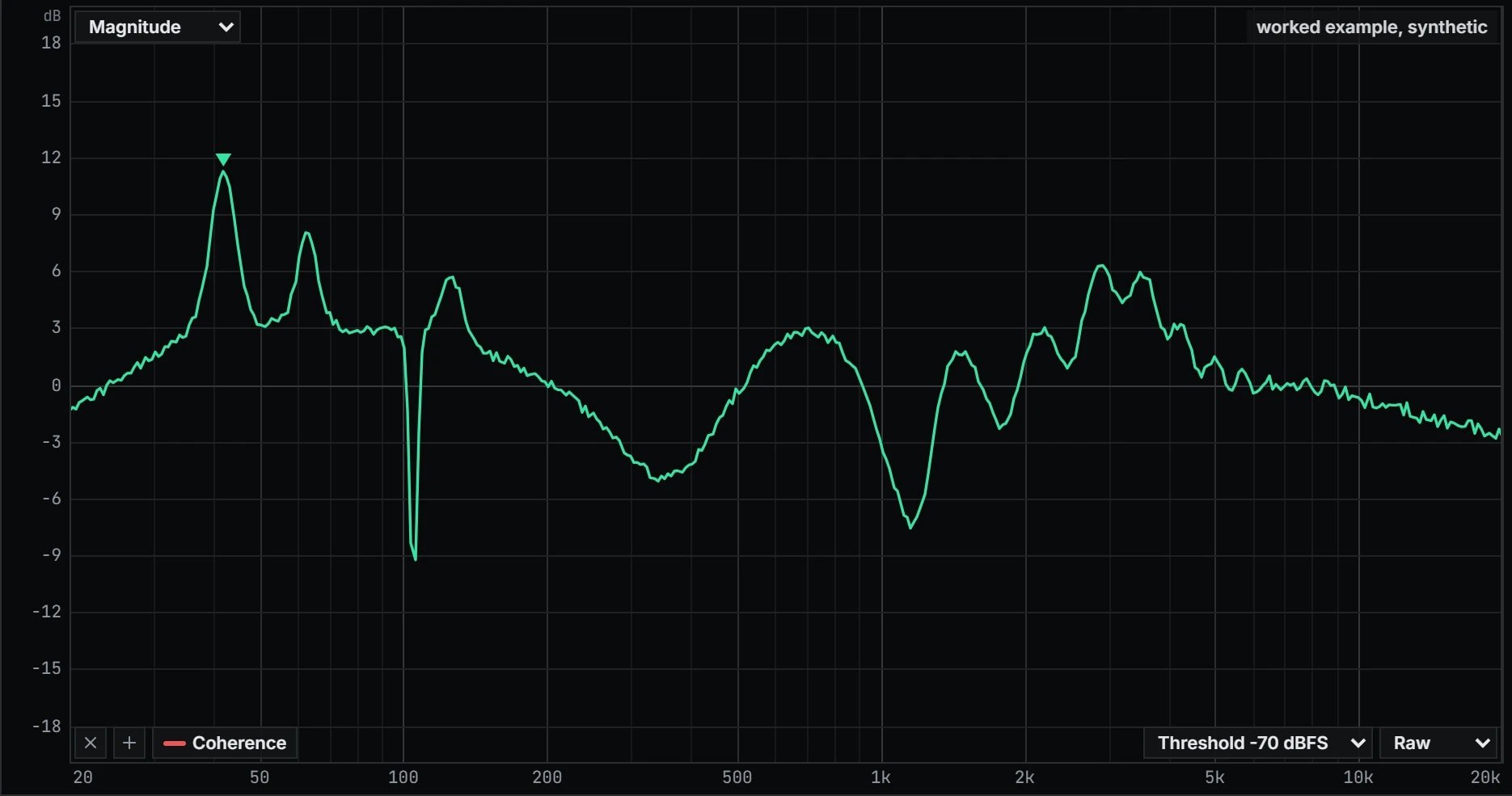
- Before
- Target
- After, predicted
- The working band, where the figures below are read
- The EQ, each filter and their sum
- Left alone
- Off target before
- 3.0 dB rms
- Off target after, predicted
- 1.8 dB rms
- Filters placed
- 5
- Regions left alone, each with its reason
- 3
What it did, and what it left alone
- Cut 6.4 dB at 42.7 Hz: Narrow peak
- Cut 3.2 dB at 64.5 Hz: Narrow peak
- Cut 2.4 dB at 125 Hz: Narrow peak
- Boost 3.0 dB at 352 Hz: Broad dip, max boost
- Left alone at 963 Hz: Narrow null
- Left alone at 1.14 kHz: Deep dip
- Left alone at 1.32 kHz: Narrow null
- Cut 5.2 dB at 3.21 kHz: Broad excess energy
The worked example: a generated trace through Align's own engine. After is predicted, not measured.
Stage and live sound
Plan the subs before the doors open.
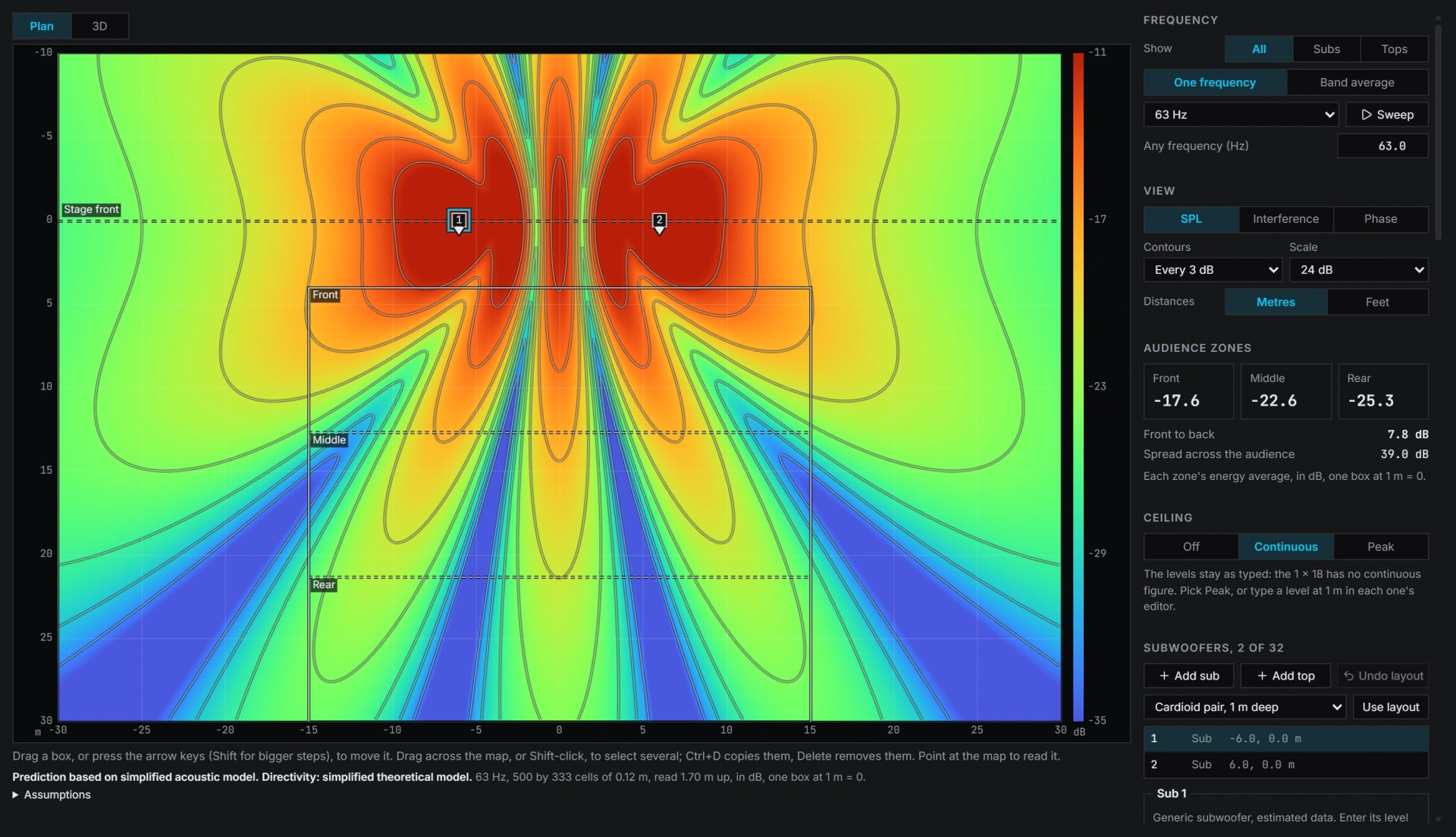
- One box
- Two, 12 m apart
- Two, side by side
- The deepest hole
An example made by code, not a measurement: the Sub map's own prediction for two Generic 1 x 18 subs 12 m apart, as it opens, read 15 m out at 63 Hz and 1.7 m high, in dB, one box at 1 m = 0.
For large concerts and festivals, fetes and DJ systems, corporate events.
Subs on a stage can cancel each other right where the crowd stands.
- Sub map, a stage, in 3D, with a one page report
- Line arrays, a flown array from the side, its splays, its gains and its level along the audience
- Measure live, with a delay finder that follows a moving mic
- Limiters, for pro amps, older amps and 70 or 100 V lines
Venues and churches
See how long the room rings.
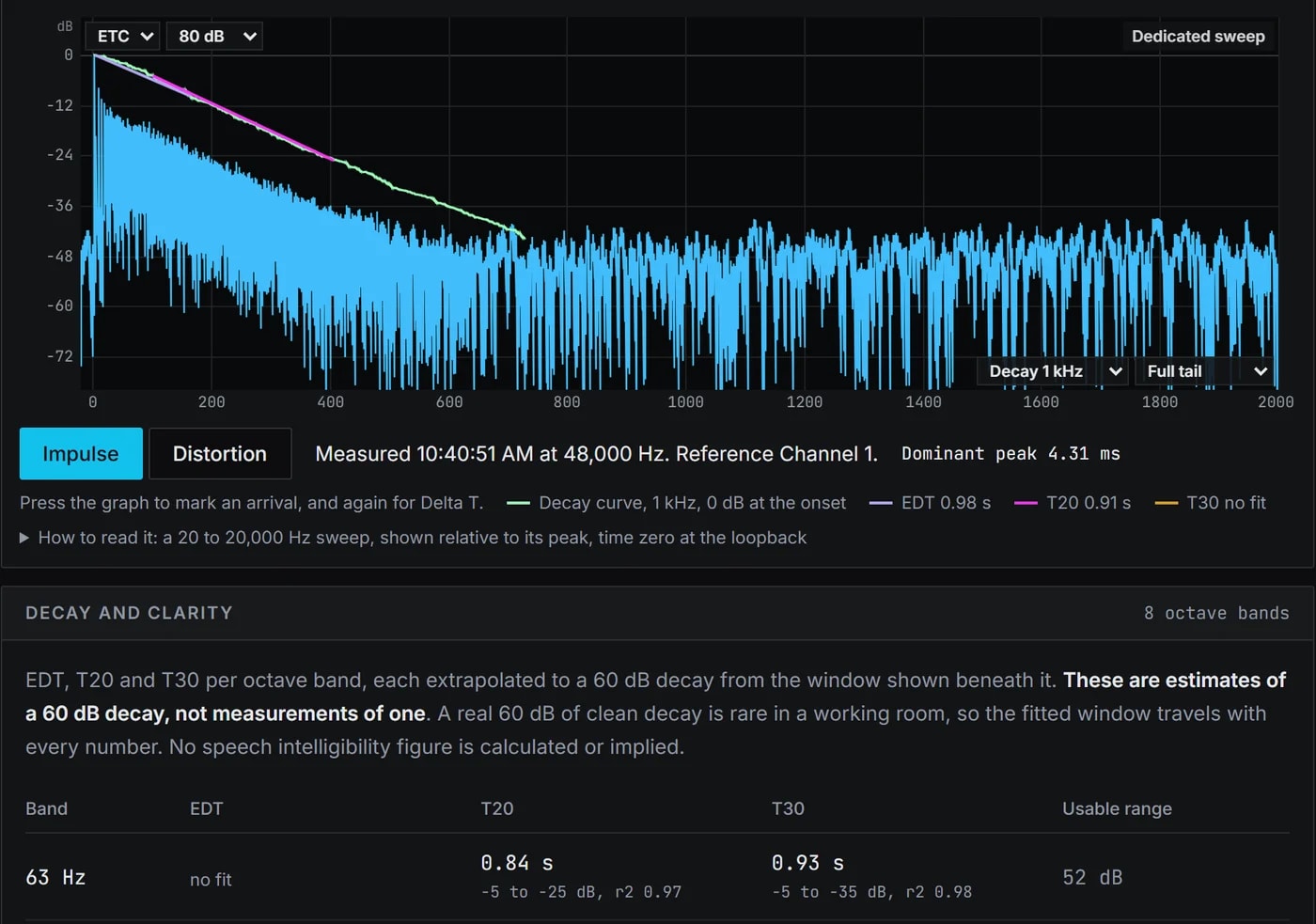
- The band's energy
- Decay curve
- EDT fit
- T20 fit
An example room made by code, not a real one: a noise made to fall 60 dB in 1.60 s, read in the 1 kHz octave by the Impulse screen's own decay code, which reads EDT 1.57 s and T20 1.63 s.
For theatres, conference rooms, churches, halls and clubs, installed systems.
In a hard room every word hangs in the air.
- Room figures, EDT, T20, T30, C50 and C80
- 70 V and 100 V lines, Speaker limiter settings for installed systems
- Show log, with a one page report
- Delay finder, that follows a moving mic
Cinemas and home theatre
Get the bass right where you sit.
- Sub
- Main
- Both, no crossover
- Both, with the pick
- Faint: each before the pick
- The dip
- The band searched, 50 to 125 Hz
An example made by code, not a measurement: a sub and a main modelled as filters, the sub 1.7 m (4.95 ms) further from the seat, summed as the Sum's Crossover tab sums them. Auto crossover searched 50 to 125 Hz.
For cinemas, home cinemas, listening rooms, studios.
The bass booms in one seat and goes missing in the next.
- Three EQ rules, never boost into a hole, never boost narrow, cut deeper than you boost
- Targets, Flat, X-Curve gentle, House Curve or Custom
- Auto Phase, and a crossover ranking
- FIR, for the processor
Car and vehicle audio
Tune from the driver's seat.
- The near speaker
- The far speaker
- The near speaker before its delay
An example made by code, not a measurement: two speakers modelled as the same filter, one 28 inches (0.71 m) further from the seat, each read by the live impulse at 48 kHz. The delay set is 2.07 ms, the gap between the two arrivals to a hundredth of a millisecond.
For car tuning and DSP, factory system upgrades, pickups and SUVs.
One speaker sits closer to you than the other, so the sound pulls to one side.
- Transfer function, magnitude, phase and coherence at the seat
- Delay finder, the time each speaker takes to reach the microphone
- Targets, Flat, House Curve or your own
- Limiters, settings for car audio amps
Show SPL: the level at a live show
Know how loud the show was, all night long.
- Fast, LAF
- Slow, LAS
- LAeq,6s so far
- The burst and the hold
An example made by code, not a measurement: a pink noise 18 dB quieter than its burst and its hold, read by the SPL meter's own A weighting with Fast at 0.125 s and Slow at 1 s, calibrated on a made 1 kHz tone typed as 94 dB.
For concerts, events, clubs and churches.
A complaint the next day is the wrong time to find out how loud it was.
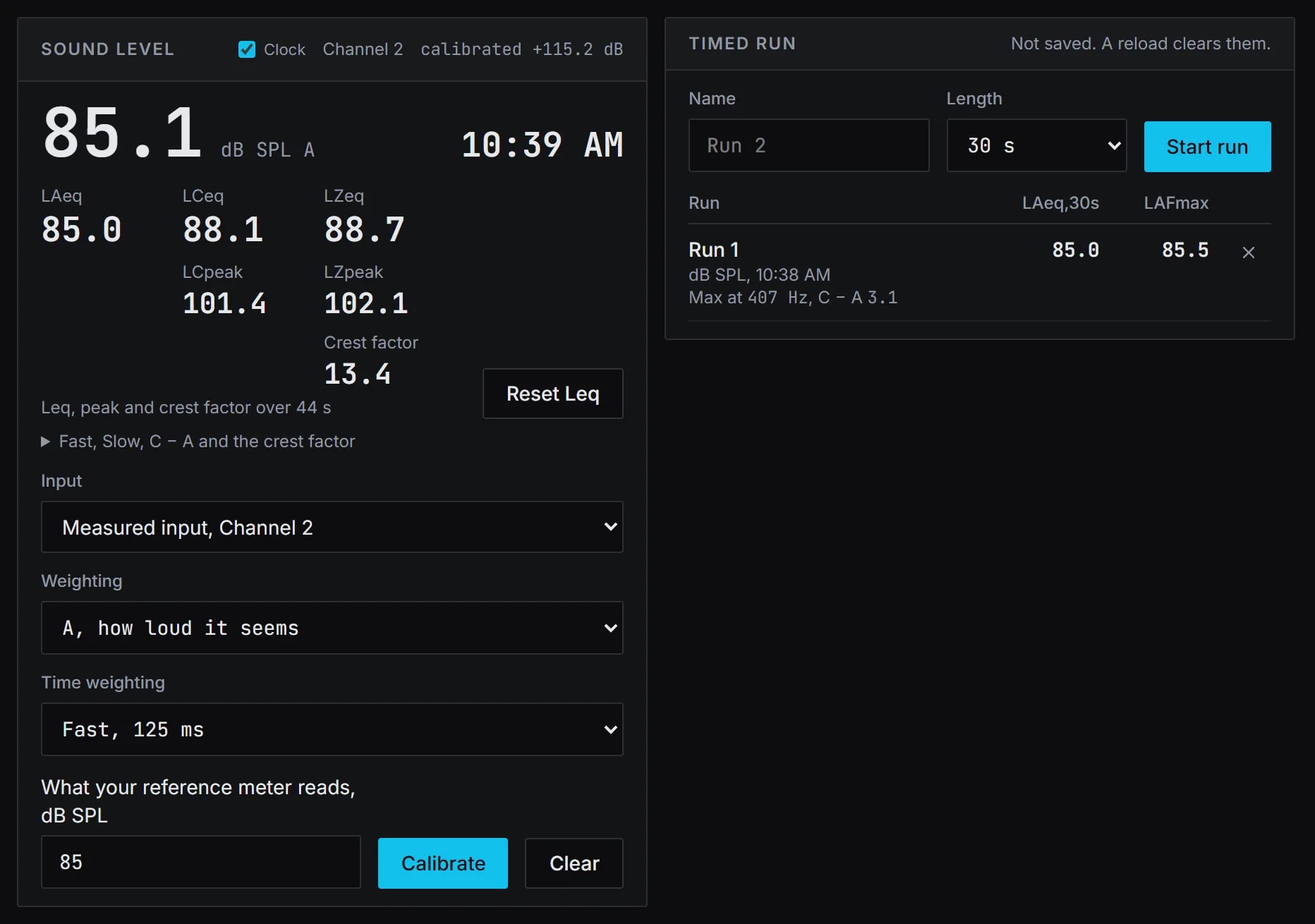
- SPL meter, LAeq, LCeq and LZeq, Fast and Slow, in dB SPL once calibrated
- Peaks, LCpeak and LZpeak on the meter, a calibrated LCpeak red past 140 dB
- Show log, each second by the clock, with a moving LAeq over 15 minutes
- Show report, one printed page against your limits
Start with the free RTA and SPL meter.
Both open in your browser with no account, and no audio leaves it. To measure through an audio interface, use Chrome or Edge on a computer. Pro adds the transfer function, EQ and every other tool.