
RTA
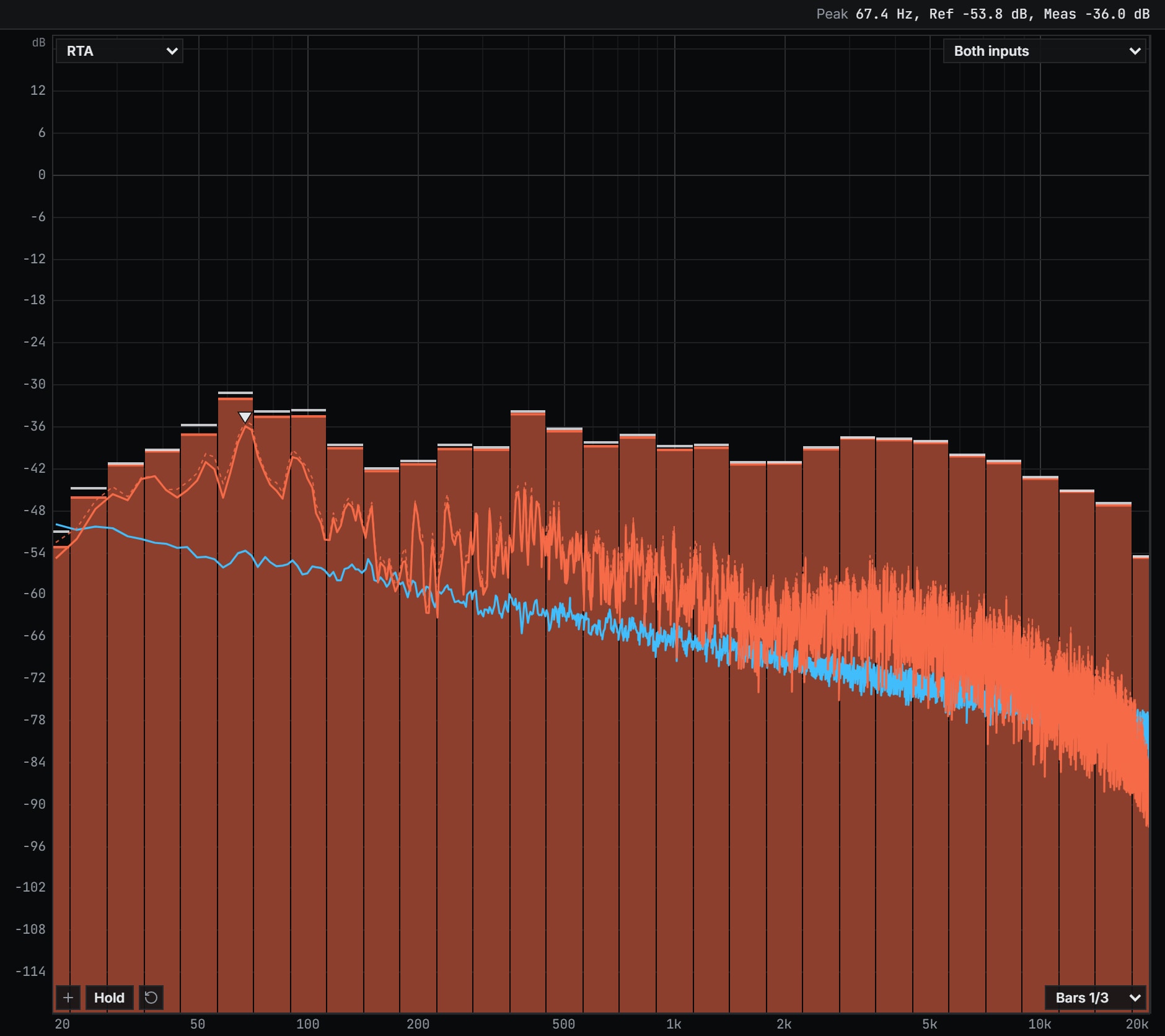
The spectrum of what the microphone hears, live: a line for every frequency, and bars from whole octaves down to 1/24 octave with a held peak above each.
Inside Align: Real-time: RTA / FFT, or RTA and spectrograph
It runs below, free, with no account. Press Connect in its Control bar to begin, which a phone opens from its rail on the right edge; no audio leaves your browser.
Switch it on while online. With no internet, the free RTA and SPL meter pages then open and measure from this browser, and each time one opens online it saves what has changed. Keeping the whole of Align offline comes with Pro.
Opening Align
How to use it
- 1
Connect
In the Control bar, press Connect (on a phone, open the Control bar first from its rail on the right edge, Show control bar), allow the browser's microphone request, and choose your interface if it asks.
- 2
Play something
The system, the room, or the generator at the Control bar's foot, where Pink plays an even spectrum.
- 3
Read it
Choose bars in the graph's bottom right corner, from Bars 1 oct down to Bars 1/24, and press Peak hold at its bottom left, or P, so each band keeps its highest level. Point at the graph for a band's level. The View menu shows the RTA alone, or with the spectrograph, the spectrum over time, and Graph settings makes each bar its band's sum or average.
What it looks like with a signal
How Align works it out
What it computes and how, each line read off the code the tool runs.
Each block of audio is tapered by a window, Hann unless you choose another, and turned into a spectrum by an FFT. The line is each frequency's power averaged over the blocks, in dB.
The bars add that power up in bands whose centres and edges are the base-ten series around 1 kHz, an octave being a ratio of 10 to the power 0.3. Each FFT bin counts for the share of its width that lies inside the band, so the bands tile with no gap and no overlap.
Reference: IEC 61260-1:2014, the base-ten band frequencies. Named as their source, not as a claim of compliance.
A band narrower than one FFT bin takes its share of that bin, and the readout says one FFT step covers it. A larger FFT resolves it.
Peak hold keeps the highest level each band has reached, until you press Reset or stop the measurement.
What you need
- Chrome or Edge on a computer, to measure live
- An audio interface and a measurement microphone
- No account: it runs on this page, and Keep offline keeps it here for use with no internet
Learn it
Training teaches the measurement from the rig up, free to read with no account.
Lesson 3, Check the rigQuestions
- Does the free RTA need an account?
- No. It runs on this page with no sign-up. The analysis runs in the page, and no audio leaves your browser.
- Does it work with no internet?
- Yes, once kept. While online, press Keep offline above it and switch on Keep the free tools on this device: the RTA's and the SPL meter's pages then open and measure with no internet in this browser. Keeping the whole of Align offline comes with Pro.
- Why does the noise go quiet a moment after it starts?
- On a laptop the computer can turn it down after it leaves the page. Switch the laptop's own sound app's noise reduction off, as in Realtek Audio Console, Speakers, Sound Effects, Speakers Noise Cancellation (Voice call), Off. On Windows, also set Sound control panel (More sound settings), Communications tab, Do nothing, then press Reconnect.
- Is its level in dB SPL?
- No. The RTA reads a relative level, so compare shapes, and one band against another. The SPL meter reads dB SPL once it is calibrated against your reference meter.
- What are the bars?
- The spectrum in bands, from whole octaves down to 1/24 octave, drawn beside the line of every frequency and never in place of it. Each bar is its band's power summed, where pink noise reads flat, or averaged over the band, where the bar sits on the line: choose in Graph settings, Spectrum and RTA, Bar type.
- Why Chrome or Edge?
- They let a page ask an interface for its channels; Firefox and Safari do not. On a Mac too, measure live in Chrome or Edge.