
Align the bands
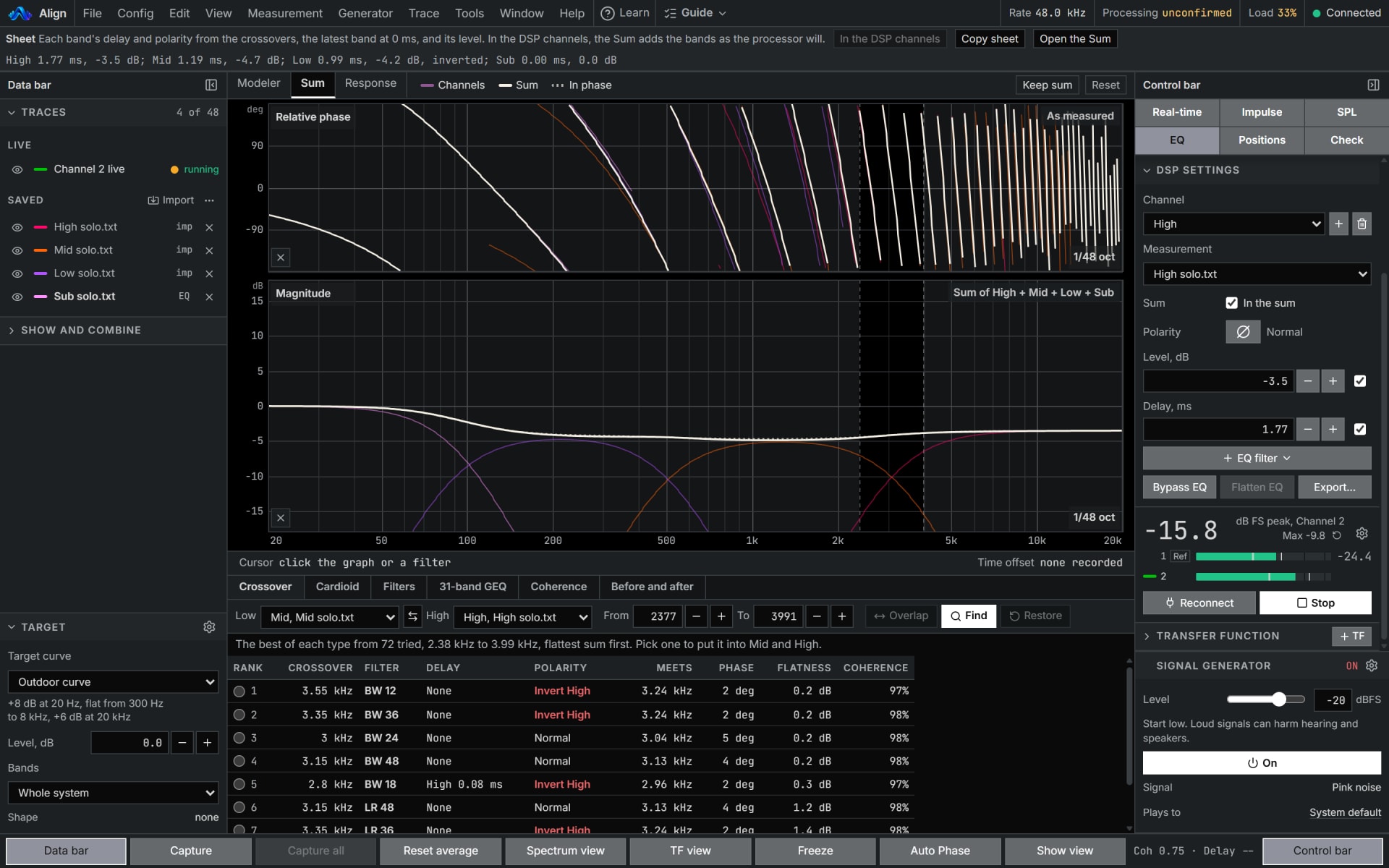
Two bands that add where they overlap: Auto Phase finds the delay and polarity, and offers an all-pass where those cannot. Auto crossover ranks crossovers between two channels.
Inside Align: Auto Phase, and Tools, Auto crossover
How to use it
- 1
Capture each band alone
Find the top band's delay once and insert it, then capture every band through it.
- 2
Run Auto Phase
Where two bands overlap, it finds the delay and polarity that make them add, and offers an all-pass where those cannot.
- 3
Pick a crossover
Tools, Auto crossover opens the Sum's Crossover tab, which ranks crossovers between two channels. Nothing goes into a channel until you pick a row.
How Align works it out
What it computes and how, each line read off the code the tool runs.
Auto Phase puts the second trace on the first one's clock, then tries every delay in its search range, 20 ms either way unless set otherwise, in both polarities.
Each try is scored at 48 points an octave across the band: the cosine of the phase difference, weighted by both coherences and by how close the two levels are. 100 percent is the two in phase at every weighted point.
The higher score is the one to use, and on a tie the smaller delay.
An all-pass is offered only where it takes at least a quarter of a decibel off the loss in the sum that delay and polarity leave. Its phase is the cookbook's all-pass filter at 48 kHz.
Reference: W3C, Audio EQ Cookbook, Working Group Note, 8 June 2021, the all-pass filter.
What you need
- Chrome or Edge on a computer, to measure live
- An audio interface and a measurement microphone
- A processor whose channels you can set
- Pro
Learn it
Training teaches the measurement from the rig up, free to read with no account.
A 2, 3 or 4 way system, step by stepQuestions
- Should the crossover be on while I capture?
- For Auto crossover, no. A capture taken through a processor's crossover already carries that filter, and the one it tries would go on top of it, so capture each driver with its crossover off.
- Does it change my channel levels?
- No. The finder never changes a channel's level, the third crossover setting: set that to your target first.
- Can it set up a cardioid sub array?
- The cardioid finder on the Sum does, from each sub measured alone with a microphone behind the array, where you want the cancellation, and every capture against one reference.