
Transfer function and delay
The system's magnitude, phase and coherence against what it is fed, with the delay found and inserted, live from up to 16 inputs.
Inside Align: Real-time, the transfer function
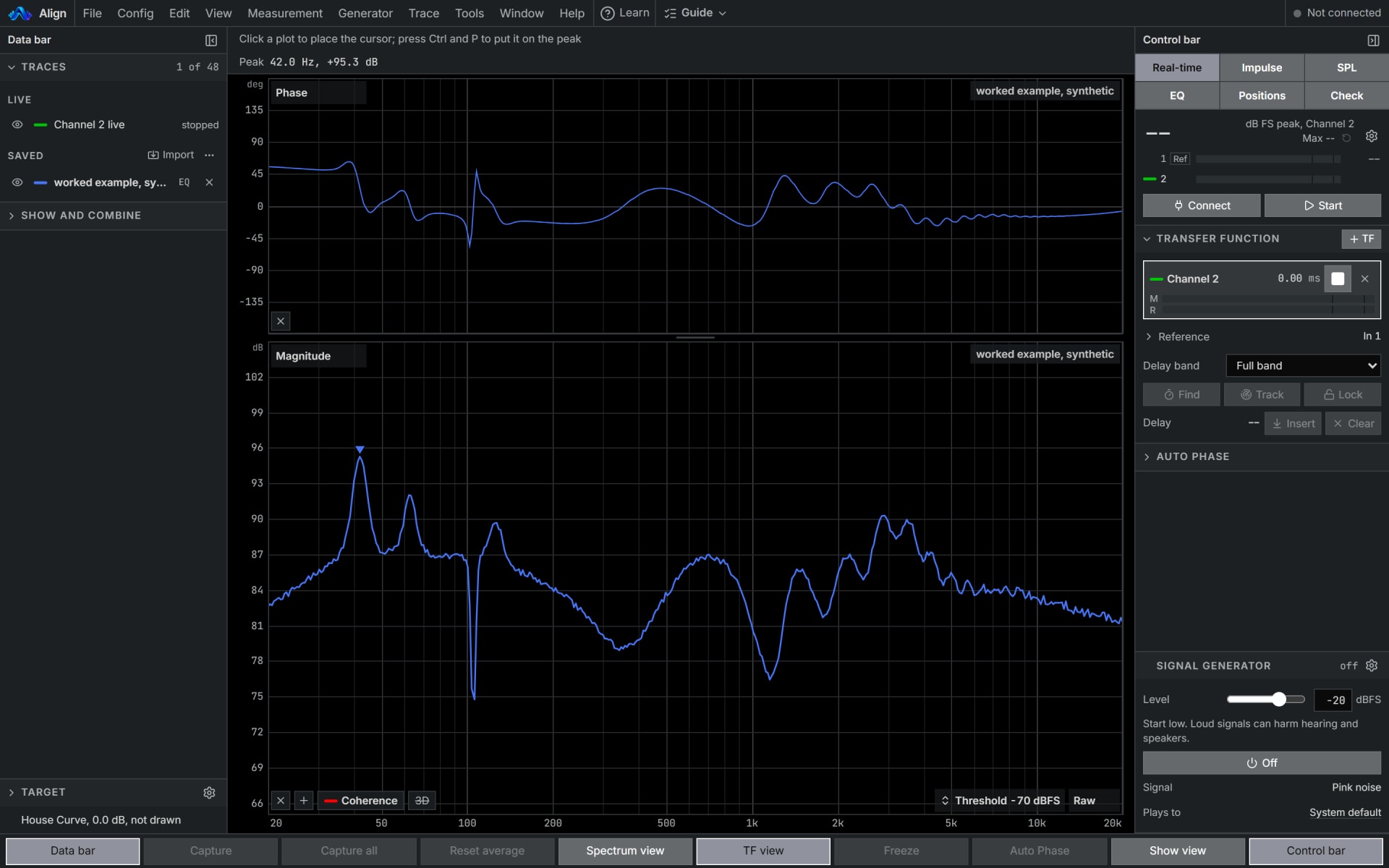
How to use it
- 1
Choose the two inputs
The reference, a split of what the system is fed or Align's own output through the internal loop, and the microphone as the measurement.
- 2
Find the delay
Play pink noise from the generator, press Find on the transfer function's row, then Insert.
- 3
Measure and keep
Let the magnitude settle and the coherence rise, trust a frequency where coherence is high, and press Capture to keep the trace.
How Align works it out
What it computes and how, each line read off the code the tool runs.
Both inputs are cut into blocks, each tapered by a Hann window and transformed by an FFT. The reference's power, the measurement's power and the cross-spectrum between them are averaged over the blocks.
The transfer function is the averaged cross-spectrum divided by the reference's averaged power, drawn as magnitude in dB and phase in degrees.
Coherence is the squared size of the averaged cross-spectrum over the product of the two averaged powers, from 0 to 1.
Find divides the cross-spectrum by its own size at every frequency, transforms it back to time and takes the largest peak as the delay, the method known as GCC-PHAT. With no signal on either input it gives no delay, never a zero.
What you need
- Chrome or Edge on a computer, to measure live
- An audio interface and a measurement microphone, two inputs at least
- A loopback cable into input 1, for an absolute delay
- Pro
Learn it
Training teaches the measurement from the rig up, free to read with no account.
Lesson 4, MeasureQuestions
- Do I need a loopback cable?
- No. Without one, Align's own output is the reference and the delay is relative, as a browser's output latency estimate varies and can read zero. A loopback into input 1 gives an absolute delay.
- How many microphones can it measure?
- Up to 16 inputs, two from each of up to 8 devices, chosen in I-O Config. Each microphone finds its own delay, Track follows it, and Follow moves its insert with it.
- What is the channel check?
- Five seconds on the Check tab that prove the browser hands over two separate inputs and is not summing them. Run it before trusting a measurement.
- Can I bring a measurement from another analyser?
- Yes. Export the trace as ASCII text, then File, Import trace. Any browser, no interface.