
EQ
Filters fitted to your target by three rules, with a plain reason for every region it leaves alone.
Inside Align: EQ
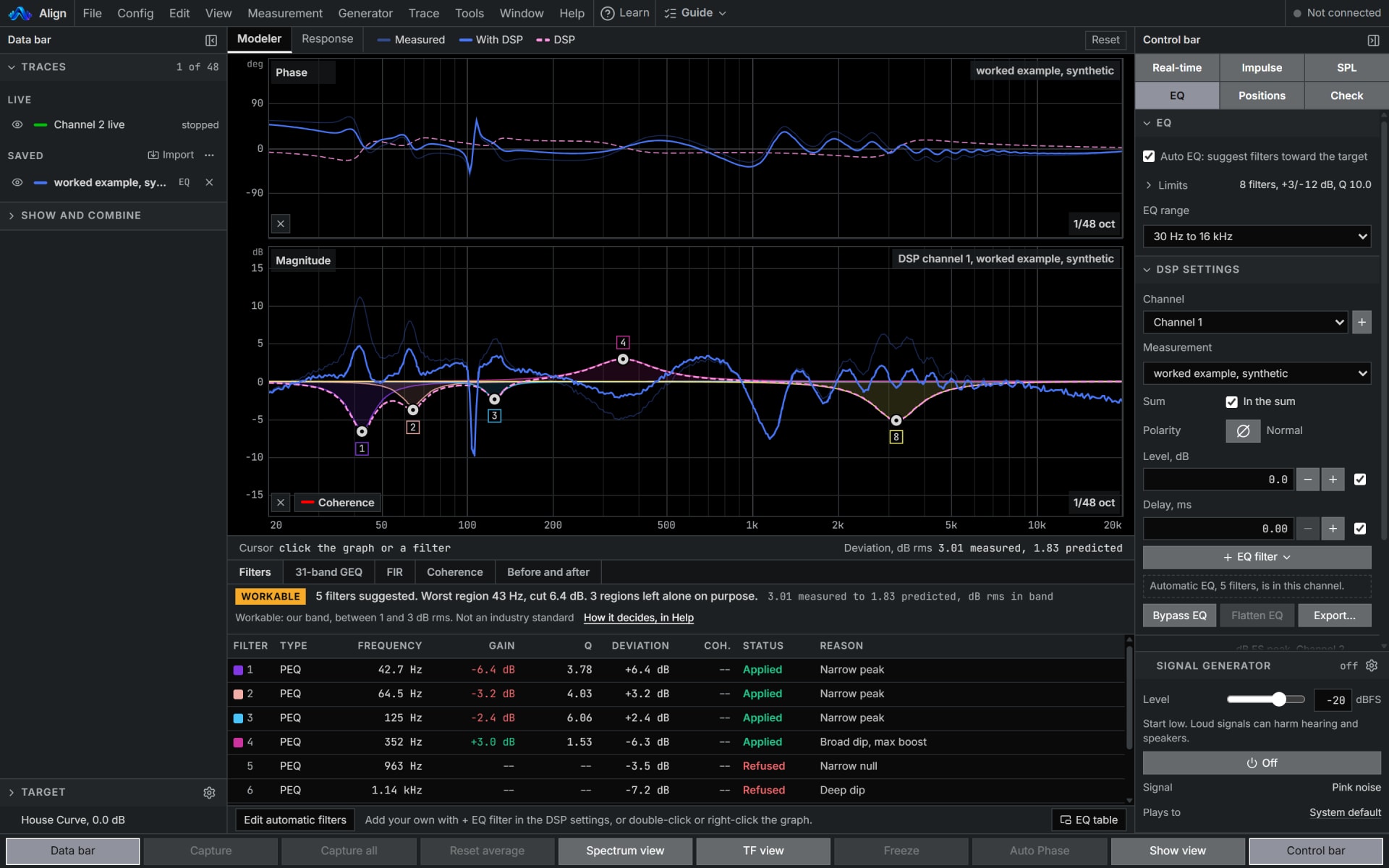
How to use it
- 1
Bring a trace
Capture one live, or export one from your analyser as ASCII text and open it with File, Import trace.
- 2
Open EQ
With the trace chosen, Align fits filters toward the target, largest remaining error first, under its three rules.
- 3
Read the reasons
Each filter says why it is there, and each region left alone says why. The Modeler and SER then show the result through your DSP channels.
How Align works it out
What it computes and how, each line read off the code the tool runs.
Align smooths the trace to a third of an octave, places the target's shape on the trace's mean level across the working band, and fits peaking filters, largest remaining error first, each one taken off the error before the next is chosen.
Reference: W3C, Audio EQ Cookbook, Working Group Note, 8 June 2021, the peaking filter.
It places no boost where the level sits more than 6 dB under the in-band mean, where the dip is narrower than about half an octave at half its depth, or where the raw trace falls more than 3 dB under the smoothed one.
Cuts stop at 12 dB and boosts at 3 dB unless you change them, and a filter that would come out under 0.3 dB is not placed.
Where the trace carries coherence, it weights the smoothing, the target's placement and each error, so a region of lower coherence gets less correction. That is a cautious rule, not an estimate of certainty.
What you need
- Any browser to open a file; Chrome or Edge on a computer to measure live
- A trace, captured live or imported as text
- Pro
Learn it
Training teaches the measurement from the rig up, free to read with no account.
Lesson 6, CorrectQuestions
- Why will it not boost that dip?
- A dip narrower than about half an octave moves when the microphone moves, so filling it fixes one seat and makes every other seat worse. A rolloff or a deep null has no energy to lift: a boost there spends headroom and heats the amplifier without changing what anyone hears.
- How far does it cut and boost?
- Cuts reach 12 dB, and boosts stop at 3 dB unless you change it.
- Can it set my processor?
- Export filters writes the filters out for the processor you name. Check the first filter on the unit's own graph: no maker states how its unit reads a filter's width.