
Sub map
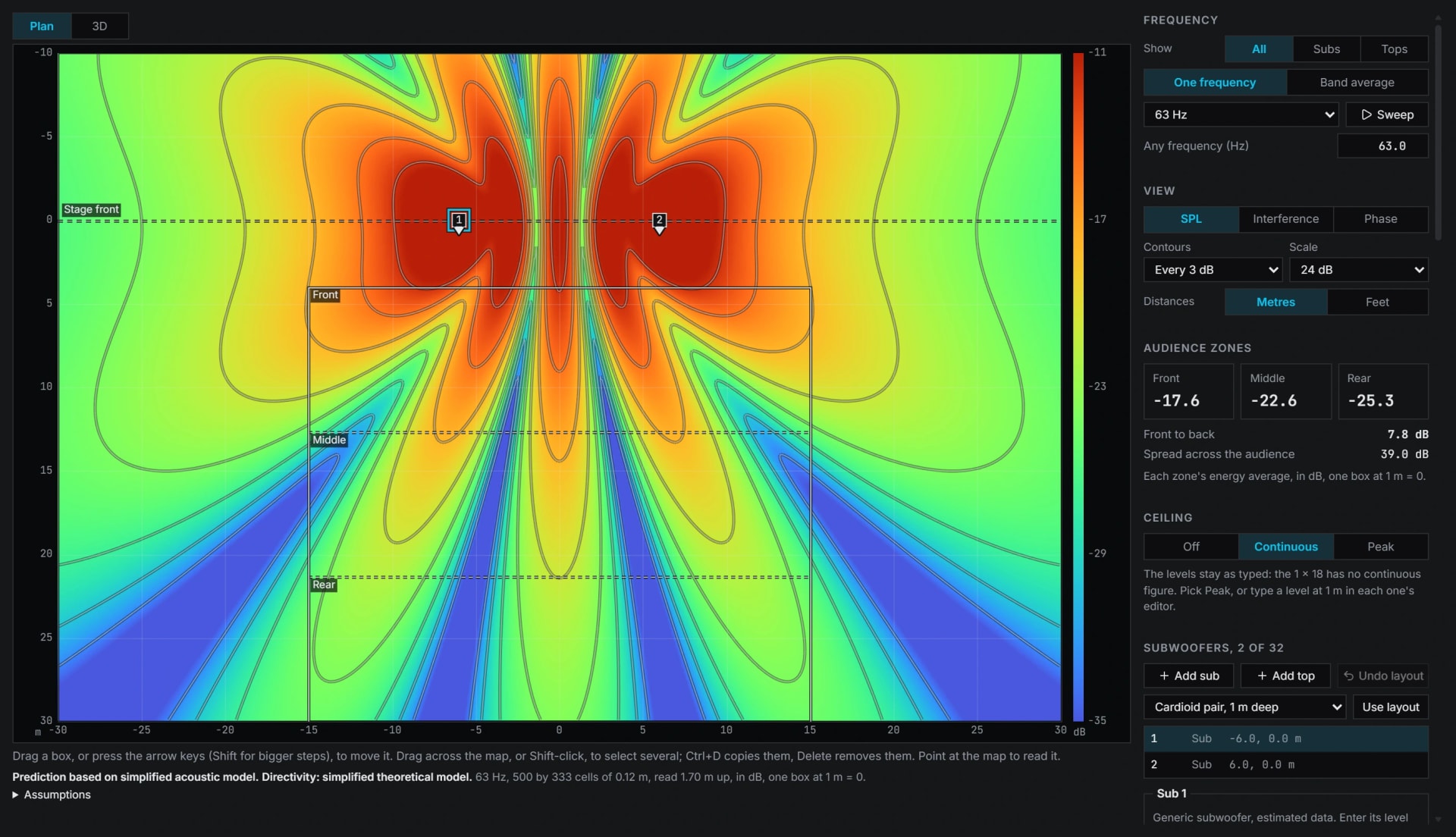
Subs and tops on a stage, summed as pressure over a map of the venue, with Auto delay and polarity setting each sub for the best sum.
Inside Align: Tools, Sub map
How to use it
- 1
Place the boxes
Tools, Sub map: put the subs and tops on a stage.
- 2
Set them
Auto delay and polarity sets each sub for the best sum, and the map shows the level over the venue with a contour every 3 dB.
- 3
Report
Read each audience zone's level, turn the 3D view, and print the one page engineering report.
How Align works it out
What it computes and how, each line read off the code the tool runs.
At each point of the map the boxes' pressures are added as complex numbers, never as levels, so two boxes can add or cancel.
A box's pressure falls 6 dB for each doubling of distance. Its phase turns with frequency times the travel time plus its delay, and by half a turn more when it is inverted.
Reference: Hughes, AES Academy 2020, Subwoofer Arrays, and Electro-Voice, Subwoofer Arrays: the cardioid pair and the end-fire line the sum is checked against.
It is a simplified acoustic model: no walls and no air absorption, and the ground only when you switch it on, as one perfect reflection.
Auto delay and polarity scores how far the subs' sum falls short of every sub arriving in phase, averaged over the audience zones from 25 to 90 Hz, and makes no change that gains under 1 dB.
What you need
- Chrome or Edge on a computer
- Where the subs and tops can go
- Pro
Learn it
Training teaches the measurement from the rig up, free to read with no account.
A 2, 3 or 4 way system, step by stepQuestions
- Where do the sub figures come from?
- Each sub size's low end and ceiling come from a named maker's sheet. Makers' measured data where it exists, never invented.
- Can I use a sub I measured?
- Yes: a measured sub as every box, and the subs at a microphone sent to the Sum.