
Filters and targets
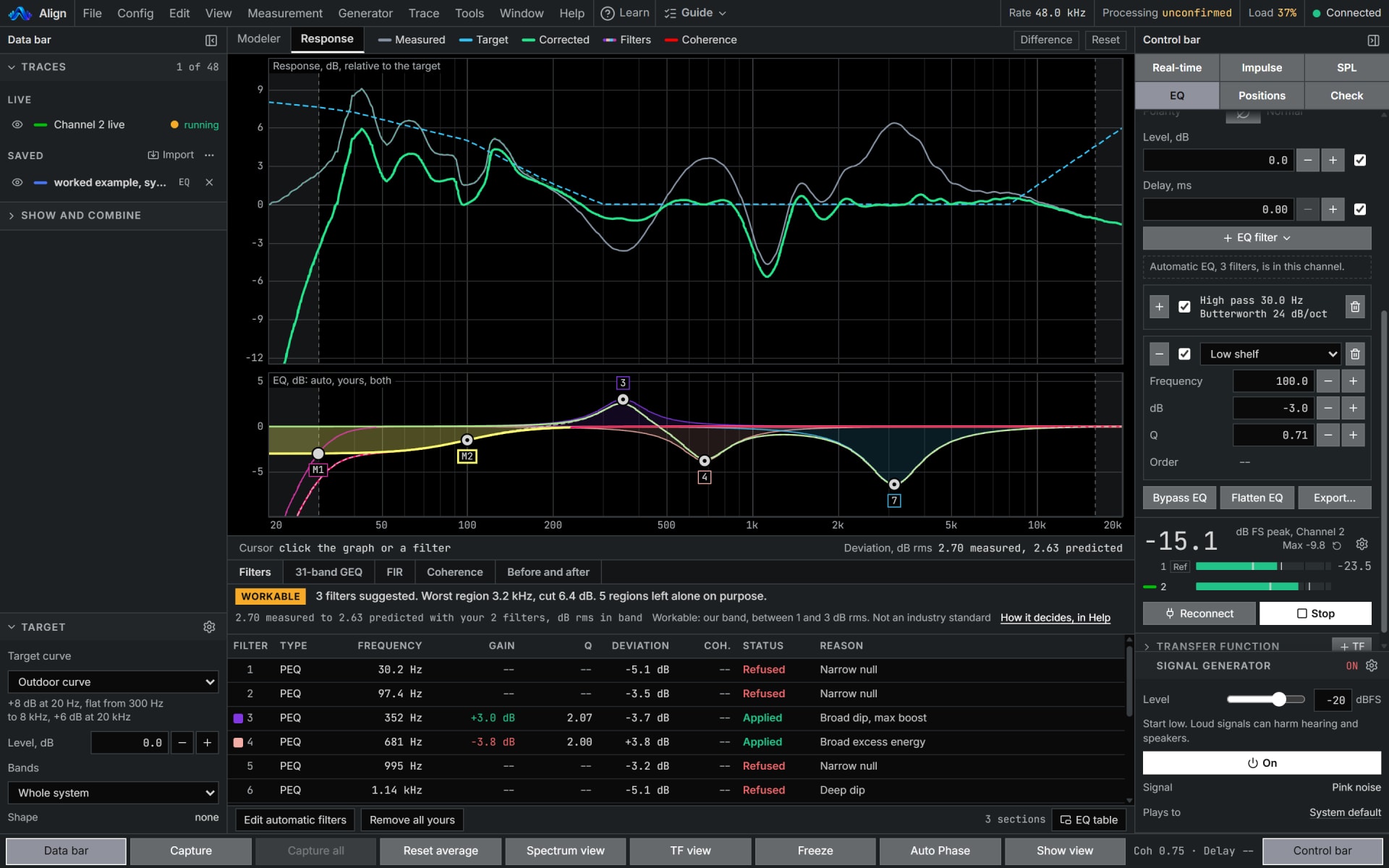
Your own filters beside the automatic EQ, and a target to fit toward: Flat, X-Curve gentle, House Curve, Outdoor curve or Custom.
Inside Align: EQ's Filters tab, and the Target
How to use it
- 1
Pick the target
At the head of the Data bar: Flat, X-Curve gentle, House Curve, Outdoor curve or Custom.
- 2
Shape it
With LF boost, tilt and HF roll-off, or split it per band at 2 to 4 way, each band with its own level.
- 3
Add your own filters
On EQ's Filters tab: peaking, shelves, high and low pass and all-pass, beside the automatic EQ.
How Align works it out
What it computes and how, each line read off the code the tool runs.
A target is a shape, not a level. Flat is 0 dB everywhere, House Curve is flat to 1 kHz and falls 3 dB per decade above it, and X-Curve gentle is flat to 2 kHz and falls 3 dB per octave above it.
The fit places that shape on the trace's mean level across the working band. The target's Level is added after that, so it moves the target against the trace.
LF boost is a low shelf at the steepest slope that still rises or falls one way, with half its lift at the corner. The tilt and the HF roll-off are straight lines on the octave axis.
Reference: W3C, Audio EQ Cookbook, Working Group Note, 8 June 2021, the low shelf.
Your own peaking, shelf and all-pass filters are the same cookbook's digital filters, and a high or low pass is Butterworth, Linkwitz-Riley or Bessel, built as cascaded second-order sections.
What you need
- Any browser to open a file
- A trace to fit, captured or imported
- Pro
Learn it
Training teaches the measurement from the rig up, free to read with no account.
Lesson 6, CorrectQuestions
- Can I bring my own target curve?
- Yes. File takes a target curve in as text and writes one out, so a house curve travels between rigs.
- What is the Outdoor curve?
- +8 dB at 20 Hz, flat from 300 Hz to 8 kHz, and +6 dB at 20 kHz.
- Is X-Curve gentle the cinema standard?
- No. It is named for what it is, a gentle X-Curve, and is not the cinema standard.