
Speaker limiter
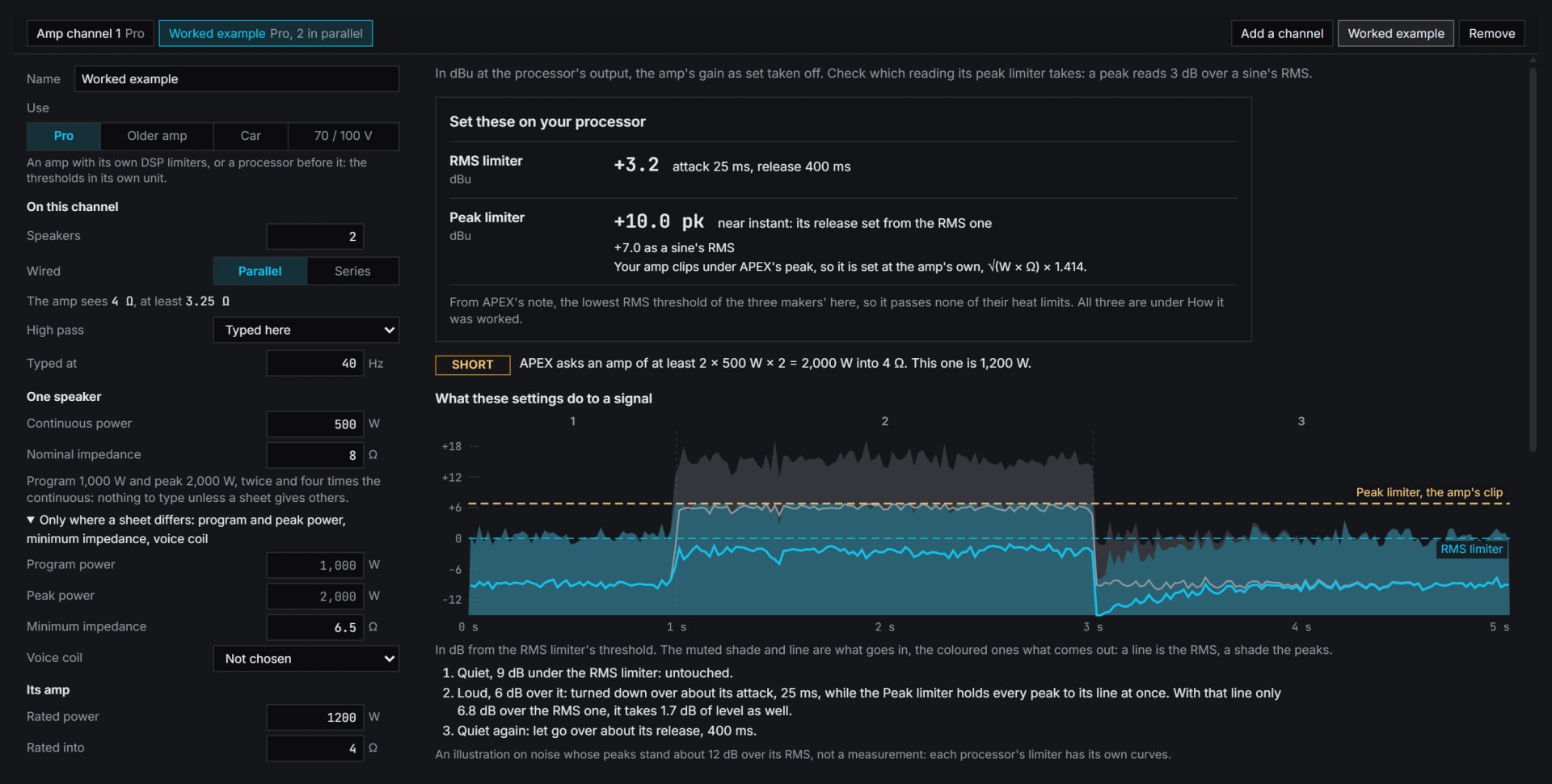
RMS and peak limiter thresholds and times from a driver's and an amplifier's ratings, by three makers' published notes.
Inside Align: Tools, Speaker limiter
How to use it
- 1
Enter the ratings
Tools, Speaker limiter: the driver's and the amplifier's, from their data sheets.
- 2
Read the settings
The RMS and peak limiters in your processor or amplifier units, each figure with what it was worked from.
- 3
Check it on the rig
Step by step, with the check under the settings.
How Align works it out
What it computes and how, each line read off the code the tool runs.
Every figure is worked as volts at the amplifier's output from the ratings you type, then turned into what your processor takes.
The three notes disagree, so each figure keeps the note that made it. APEX and Linea work the voltage on the nominal impedance and Powersoft on the minimum, and APEX takes 3 dB off.
Reference: APEX, Intelli-X2 limiter whitepaper, June 2011. Linea Research, Setting up Limiters. Powersoft TN009, How to setup limiters, v1.0.
The one answer takes the note of the processor's own maker where it has one, otherwise the note with the lowest RMS threshold. Where the amplifier clips under that note's peak, the peak is set at the amplifier's own.
Align is not in the signal path and limits nothing: these are figures for the processor or the amplifier, which does the limiting.
What you need
- The driver's and the amplifier's data sheets
- A processor or amplifier with limiters
- Pro
Learn it
Training teaches the measurement from the rig up, free to read with no account.
Lesson 3, Check the rigQuestions
- Which amplifiers?
- Pro channels, older amps, car audio, and 70 or 100 V lines.
- Does the amp's gain matter?
- Yes. Give the gain the amp is set to, and every figure follows it.