
SPL meter
Sound level in A, C and Z weighting, Fast and Slow, with three Leq at once, LCpeak, LZpeak, the crest factor and timed runs. With Pro, a show log of the moving 15 minute LAeq and a one page show report.
Inside Align: SPL
It runs below, free, with no account. Press Connect in its Control bar to begin, which a phone opens from its rail on the right edge; no audio leaves your browser.
Switch it on while online. With no internet, the free RTA and SPL meter pages then open and measure from this browser, and each time one opens online it saves what has changed. Keeping the whole of Align offline comes with Pro.
Opening Align
How to use it
- 1
Connect
In the Control bar, press Connect (on a phone, open the Control bar first from its rail on the right edge, Show control bar) and allow the browser's microphone request.
- 2
Calibrate
With a steady signal playing, type what your reference meter reads, in dB SPL, and press Calibrate. Until then the meter reads a bare dB with an arbitrary zero, and says so.
- 3
Read and keep
Pick the weighting and the time weighting, then read the level, the Leq and the peaks, and keep a timed run with its LAeq and maximum. With Pro, the show log keeps the moving 15 minute LAeq for the one page report.
What it looks like with a signal
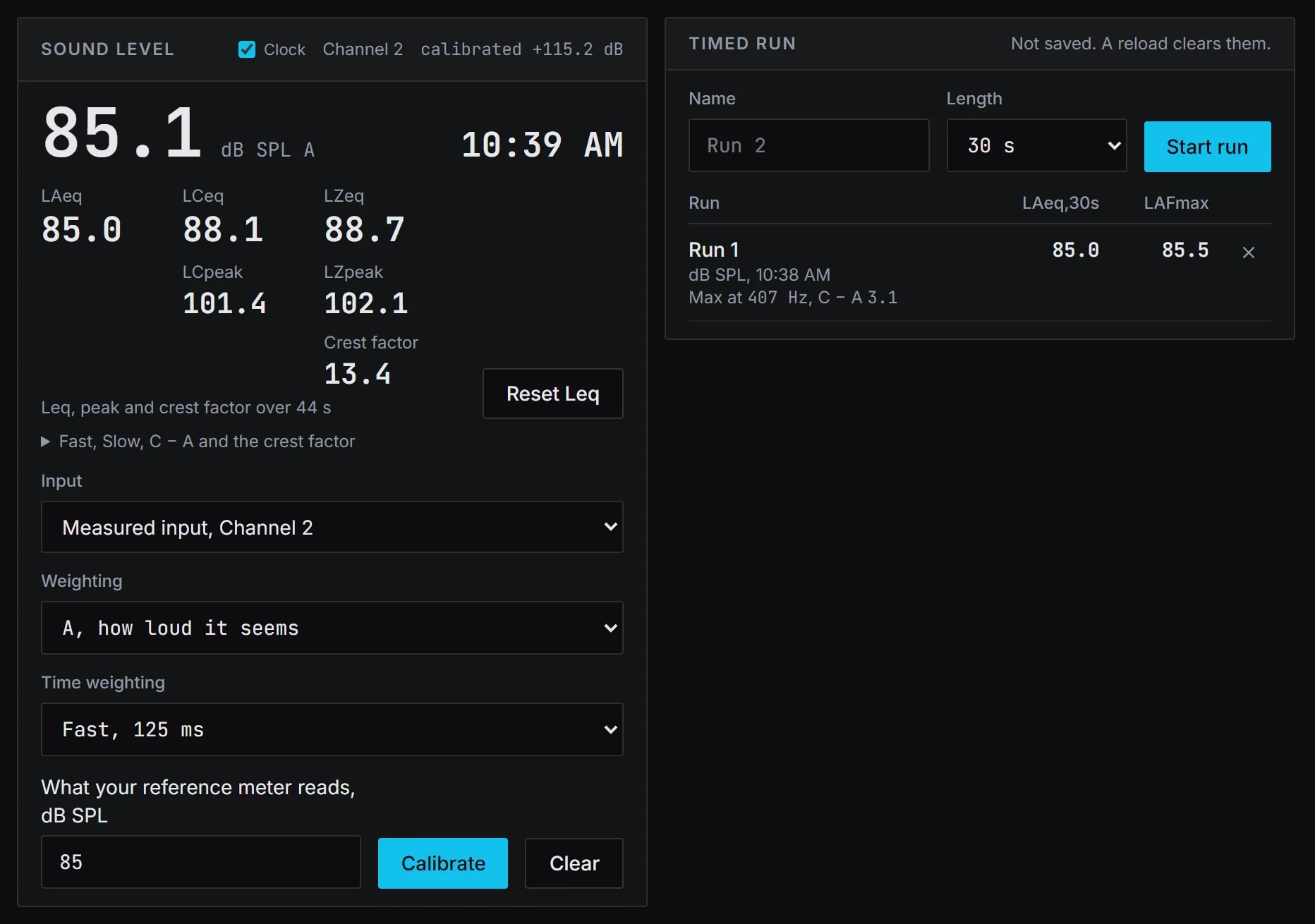
How Align works it out
What it computes and how, each line read off the code the tool runs.
The A and C weightings are filters run on every sample, built from the pole frequencies of the standard's curves and set to read 0 dB at 1 kHz. Z is flat.
Reference: IEC 61672-1:2013, the A and C curves and the Fast and Slow time weightings. Named as their source: Align claims no meter class and no compliance.
Fast is a 125 ms and Slow a 1 s exponential average of the squared signal, worked sample by sample. Leq is the energy average since the last reset.
LCpeak and LZpeak are the greatest instantaneous value, read between the samples too, by rebuilding the waveform four times as finely.
Reference: ITU-R BS.1770-5, Annex 2, the interpolating filter. Named as its source, not as a claim of compliance.
Calibrate sets one offset, so the Slow reading equals what your reference meter reads. Every level after it carries that offset.
What you need
- Chrome or Edge on a computer, to measure live
- An audio interface and a measurement microphone
- A reference meter or a calibrator, for dB SPL
- No account: it runs on this page, and Keep offline keeps it here for use with no internet
Learn it
Training teaches the measurement from the rig up, free to read with no account.
Lesson 3, Check the rigQuestions
- Is it a certified sound level meter?
- No. It is a meter in your browser, calibrated against your own reference meter. Where a figure must stand up for a permit or a contract, use a certified meter.
- Does it work with no internet?
- Yes, once kept. While online, press Keep offline above it and switch on Keep the free tools on this device: the RTA's and the SPL meter's pages then open and measure with no internet in this browser. Keeping the whole of Align offline comes with Pro.
- Why does the noise go quiet a moment after it starts?
- On a laptop the computer can turn it down after it leaves the page. Switch the laptop's own sound app's noise reduction off, as in Realtek Audio Console, Speakers, Sound Effects, Speakers Noise Cancellation (Voice call), Off. On Windows, also set Sound control panel (More sound settings), Communications tab, Do nothing, then press Reconnect.
- What is the 15 minute LAeq for?
- The A-weighted average over the last 15 minutes, moving as the show goes on. It is the measure the World Health Organization's safe listening limit for venues is set in: 100 dB LAeq over 15 minutes. The show log keeps it, with Pro.
- Can I change the weighting during a timed run?
- No. A timed run keeps the weightings it started with until it ends, so its record is of one setting.
- Does any audio leave my computer?
- No. The analysis runs in the page, and no audio leaves the browser.