
How to find the delay between two speakers
Play the farther speaker alone, press Find, then Insert. Play the closer speaker alone and press Find again: its Residual is how many milliseconds early it arrives, the delay to set on it, and a last Find after you set it should read close to 0.
What you need
Pro- Chrome or Edge on a computer
- An audio interface with two inputs, a measurement microphone, and a loopback cable from the output that feeds the system back into input 1
- A processor or mixer whose delay you can set on the closer speaker on its own
- Pro
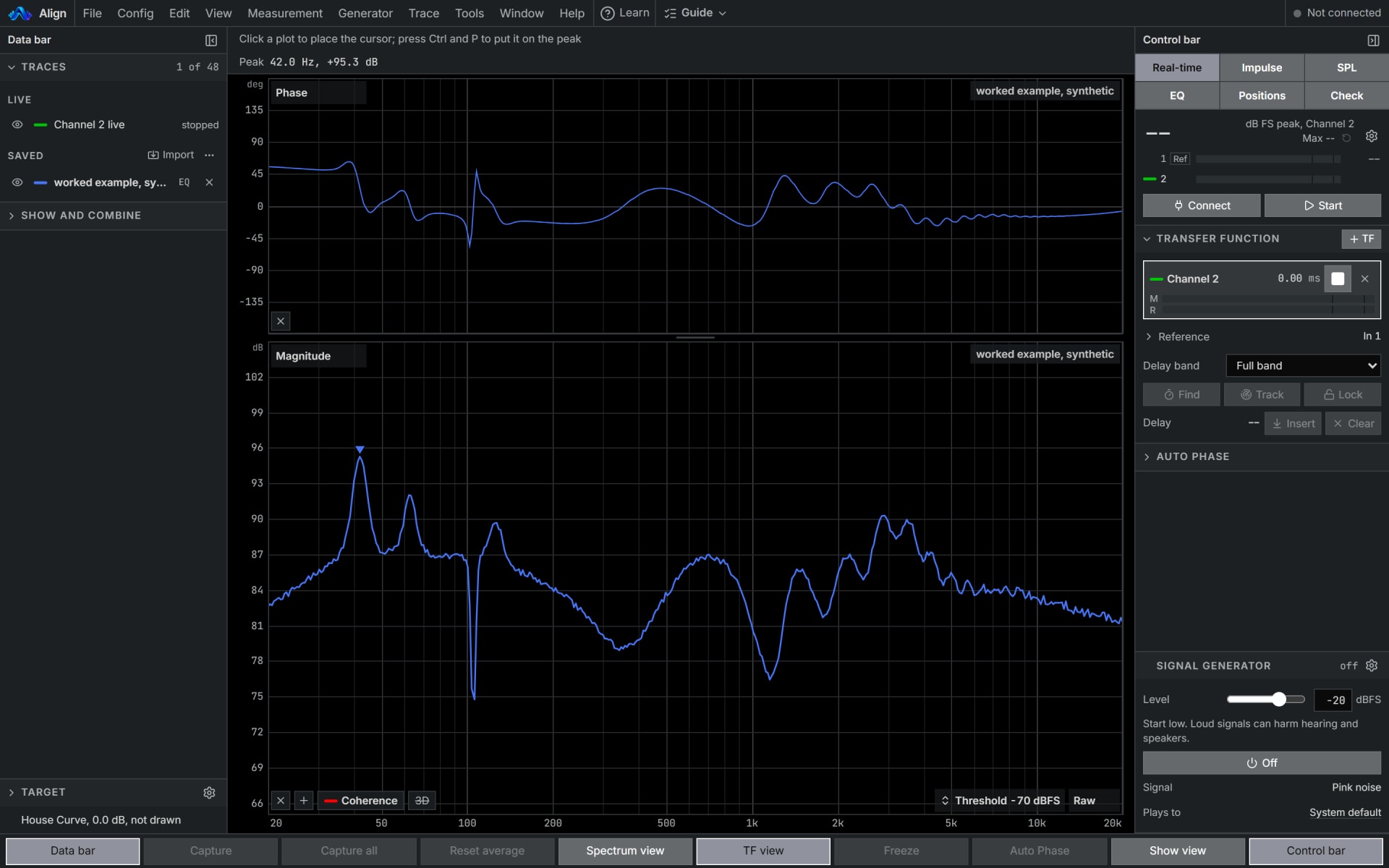
Worked example: At a seat 30 m from the mains and 8 m from a delay speaker, with no processing delay in either path, in the 20 C, 50 percent air Align starts with, the mains alone read Delay 87.21 ms and Distance 30.00 m. After Insert, the delay speaker alone reads Delay 23.26 ms with Residual -63.96 ms. Enter 63.96 ms on the delay speaker: 22.00 m of air, or 72.2 ft at 0.3048 m a foot. In that air each ms is about 0.344 m.
Step by step
- 1
Connect, then check the browser's processing
Press Connect in the control bar. Align asks the browser for echo cancellation, noise suppression and automatic gain off. When it worked, the status bar shows no Processing warning and the setup check's Browser processing reads Off. "ACTIVE" means the browser left one on, which changes the signal: turn it off in the browser's or the system's microphone settings, then connect again. "unconfirmed" means the browser did not report it: compare one reading with a known one before you trust a level.
- 2
Wire the reference to read a distance
Feed the generator to the system with the loopback cable back into input 1 as the reference and the microphone on input 2, on the same interface. Through Internal loop reference the delay includes the computer's own round trip, and a reference on another device carries an offset Align cannot read: either way the finder marks it under Includes and shows no distance.
- 3
Set the day's air
Open Config, then Preferences, and type the Temperature and Humidity under Air. Sound travels about 344 m/s at 20 C and half humidity and about 351 m/s on a humid 30 C night, and every distance Align shows follows what you type.
- 4
Place the microphone at the seam
Put it where the two speakers meet at equal level, the seat where timing matters most: start halfway between them and move until they sound equally loud. On the floor it hears no floor bounce, which gives a cleaner arrival for a timing reading.
- 5
Find the farther speaker
Mute the closer speaker at the processor so only the farther one, usually the mains, plays. Play pink noise, set Delay band to Full band or Top, which reads 500 Hz to 16 kHz, and press Find, or L. Read Delay in ms, Distance in metres, Air and Confidence, then press Insert.
- 6
Find the closer speaker
Mute the farther speaker and unmute the closer one. Press Find again and leave the insert in. Residual is the delay found less the delay inserted: a figure below zero is how many ms the closer speaker arrives before the farther one.
- 7
Read the peak before you trust it
Open Peak detail. Second peak is the strongest arrival outside the one found, a reflection or the other box, and Margin is how far the found peak stands above it: under 3 dB the two are near equal and either could be the arrival, so the finder shows it beside the delay. An inverted Polarity shows there too.
- 8
Set the delay on the closer speaker
Enter the Residual, without its minus sign, as the closer speaker's delay at the processor. Set it on time: delaying it further than the arrival brings tonal coloration and, with some programme, echoes, and where the speaker sits above or below the line to the mains the ear cannot use the extra time to place the sound.
- 9
Find it again
With only the closer speaker playing, press Find once more. Its Residual should now read close to 0.00 ms; if it does not, check Peak detail and find again.
How you know it worked
- With the delay set and only the closer speaker playing, Find reads a Residual close to 0.00 ms, with Confidence strong and no Margin warning.
- With both playing at the seam, the two add up most where coherence is high. A full 6 dB at every frequency is not the aim: judge the bands where both traces have high coherence.
- Press Track, then Lock, to hold the delay as a mark: Drift reads the newest reading less the delay held, from warming air, wind or a microphone moved. Where the temperature swings a lot, find the delay again.
When it goes wrong
- The Residual jumps, or Margin warns under 3 dB
- The finder sees two arrivals of near equal strength: both speakers playing, or a strong reflection. Mute one speaker at the processor, put the microphone on the floor and press Find again.
- There is no Distance, and Includes reads round trip or device offset
- The reference is the internal loop or sits on another device, so the delay is not a distance. Wire a loopback cable from the output into input 1 on the microphone's own interface and find again.
- Distance reads longer than the tape measure
- Distance turns the whole delay into air, including the processor's own latency. Use the Residual between the two speakers, which leaves out what both paths share, and measure rather than work it out from a tape measure.
- The Residual is above zero
- The speaker you found second is the farther one. Set the delay on the speaker you inserted first, by that figure, or find them again in the other order.
The tools and words it uses
Words: Delay, Reference and measurement, Internal loop, Coherence.
More guides: Read A and C weighting, Tune a car audio system, Tune a church sound system, Time align a sub to the mains, Calibrate the SPL meter, Measure reverberation time, EQ without over-correcting, Install Align and use it offline, Tune a sound system on Free, every guide.