
How to tune a church sound system in a reverberant room
With the room empty and quiet, capture the house system at seats across the room and fit the EQ to their median, then ring out the talker's microphone with the Feedback finder and set each cut it names on your processor. Set the speech level last, on the SPL meter, and read it again with the room full.
What you need
Pro- Chrome or Edge on a computer
- An audio interface and a measurement microphone
- A processor or desk that takes the EQ and the narrow cuts
- The talker's own microphone, live through the house system
- The room empty and quiet for the measuring and the ringing out
- The microphone calibrated to read dB SPL, for the speech level
- Pro
Worked example: With the room empty, the Feedback finder names a ring at 630 Hz and offers a cut 6 dB deep, a tenth of an octave wide. With the gain raised again it rings twice more, and the cut asks for 9 dB, then 12. A second ring at 700 Hz, within a sixth of an octave of the first, shares its filter: one cut centred at 664 Hz, a quarter of an octave wide, 12 dB deep. The system is then turned down 6 dB from where it last rang.
Step by step
- 1
Pro: connect, then time the system at the mix position
Press Connect in the control bar. Align asks the browser for echo cancellation, noise suppression and automatic gain off. When it worked, the status bar shows no Processing warning and the setup check's Browser processing reads Off. "ACTIVE" means the browser left one on, which changes the signal: turn it off in the browser's or the system's microphone settings, then connect again. "unconfirmed" means the browser did not report it: compare one reading with a known one before you trust a level. Play pink noise through the house system at about the level you run in a service. Set up the transfer function, press Find, then Insert, so the reference and the microphone line up before you capture anything.
- 2
Pro: capture seats across the room
Open Positions. At each seat, type its name in Next position and press Capture as: the front, the centre, the back, and left and right of the centre and of the back. Keep the microphone at least 1 m from walls and pews, and keep the room as empty as you will find it next time.
- 3
Pro: read what every seat shares
Read the spread line over 200 Hz to 5 kHz, and press P to jump to the frequency where the seats disagree most. A peak every seat shows is the loudspeaker or the room, and the EQ can take it. A dip only one seat shows is where that microphone stood, and no EQ fixes it for everyone.
- 4
Pro: fit the EQ to the median
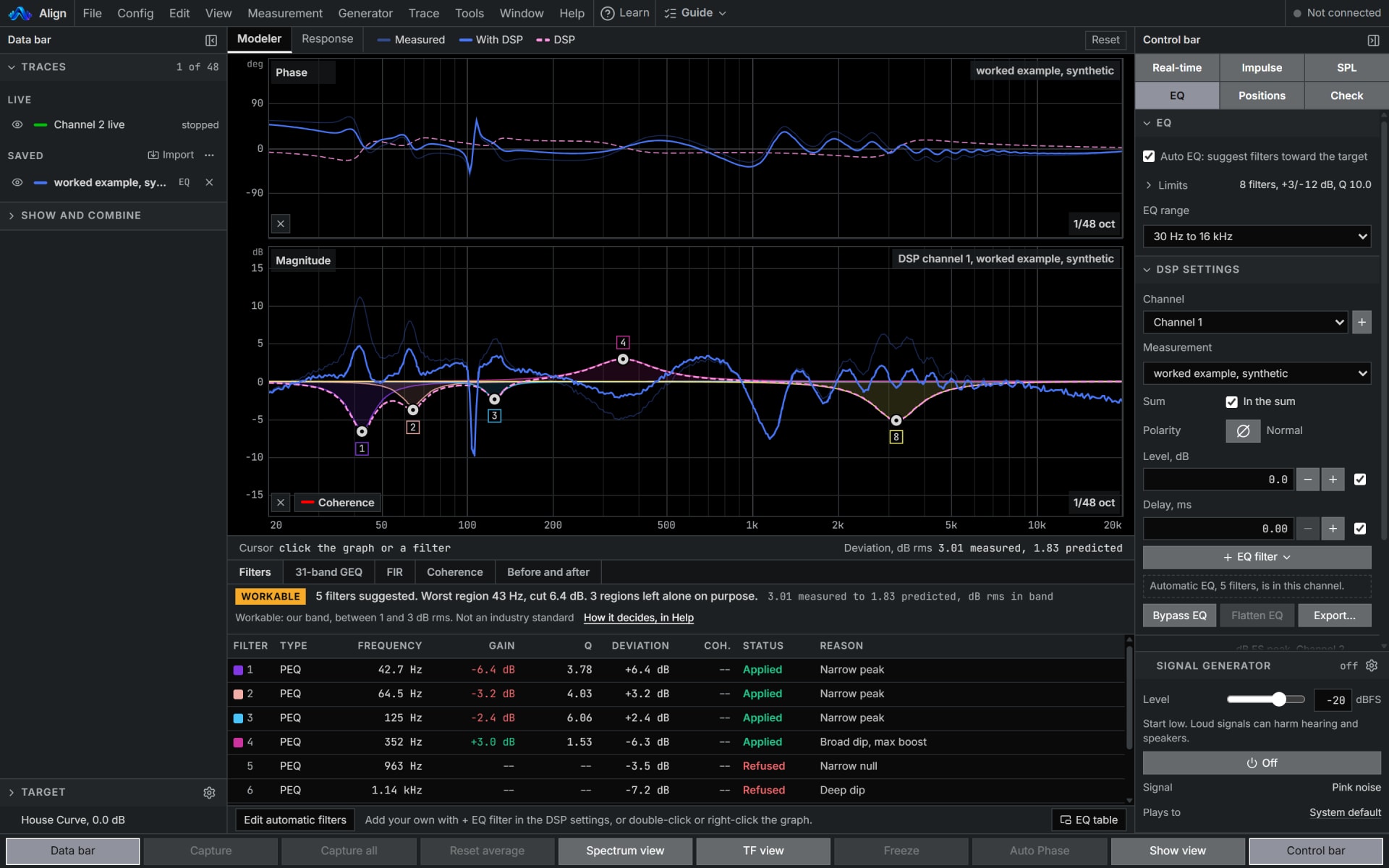
Press Use the median, so no seat by a wall or a pillar can pull the fit on its own, and EQ opens on it. Read the reason beside each filter, then export the filters and set them on the processor.
- 5
Pro: open the Feedback finder on the talker's microphone
Stop the noise and open the talker's microphone through the house system, with only the microphones you use for speaking open. In Tools, open the Feedback finder. It listens through your measurement microphone and plays nothing. Leave Sensitivity on Normal, which is for ringing out with the system quiet or with noise.
- 6
Pro: bring the gain up slowly and cut each ring
Raise the talker's channel or the system slowly. Each frequency that starts to ring shows in the list with its cut: 6 dB deep and a tenth of an octave wide. Set that cut on your processor; Add to keeps a record with your EQ and changes nothing on the processor. A ring that comes back asks for 3 dB more in its place, down to 15 dB.
- 7
Leave room before it rings
When the rings come one after another, or a cut reaches 15 dB, stop. Turn the system down about 6 dB from where it last rang, so a talker who leans in does not set it off.
- 8
Set the speech level on the SPL meter
Open SPL, choose A weighting and Slow, and have someone speak at the lectern while you read the level at the front and at the back. Raise it only while the words stay clear: in a hard room, speech blurs at a low level.
- 9
Read it again with the room full
People absorb sound, so a full room rings for less time than the empty one you tuned. During a service, press Reset Leq when the sermon starts and read its level at the mix position. Note how many people were there.
- 10
Pro: keep the tuning under the venue's name
Keep the result with File, Venue history, and write the processor's settings down where the next volunteer will find them. Next time there, pick it to see what changed.
How you know it worked
- With every cut set on the processor and the talker's microphone open at the level you use, the Feedback finder reads Listening and its list shows nothing ringing now.
- Captured again at the seats with the EQ in, the seats follow the median you fitted, and the place where they differ most has not moved.
- The sermon reads the same level at the front and at the back, and stays clear at each.
When it goes wrong
- A sung note or an organ chord is called a ring
- A held note can look like a ring for a moment. Set Sensitivity to Sure, which calls only a ring that holds clearly, and ring out with speech and the system alone, before the music plays.
- The cut keeps coming back deeper at the same frequency
- Once a cut reaches 15 dB, more EQ will not hold it. Move the microphone closer to the talker's mouth, or move it out of the loudspeaker's pattern, then ring out again.
- The finder says "Not listening while hidden"
- The browser stops it while the page is hidden. Keep Align in front while you ring out; it listens again when you come back.
- One seat looks nothing like the others
- That seat is where its microphone stood: a reflection or the pew beside it. Fit to the median, and capture one or two seats near it to see whether the area shares it.
The tools and words it uses
- EQProFilters fitted to your target by three rules, with a plain reason for every region it leaves alone.
- SPL meterFreeSound level in A, C and Z weighting, Fast and Slow, with three Leq at once, LCpeak, LZpeak, the crest factor and timed runs. With Pro, a show log of the moving 15 minute LAeq and a one page show report.
Words: Position, Spatial average, EQ filter, dB SPL.
More guides: Time align a sub to the mains, Calibrate the SPL meter, Measure reverberation time, EQ without over-correcting, Install Align and use it offline, Tune a sound system on Free, Find the delay between speakers, Read A and C weighting, Tune a car audio system, every guide.